
1 Tool 1 Week · #02
Drawn.
Blood test booking, sorted.
Generic booking tools treat a blood test like a haircut. Drawn is online booking built for private blood testing clinics: clinic appointments and home visits, fasting rules built in, and patients only ever see times that work. UK GDPR compliant, hosted in the UK and EU.
Watch on YouTube
Built with a modern, owned stack
- Next.js
- TypeScript
- React
- Expo
- Tailwind CSS
- Supabase
- Neon
- PostgreSQL
- Medusa
- Stripe
- Resend
- FastAPI
- Cloudinary
- Node.js
- Vercel
- Next.js
- TypeScript
- React
- Expo
- Tailwind CSS
- Supabase
- Neon
- PostgreSQL
- Medusa
- Stripe
- Resend
- FastAPI
- Cloudinary
- Node.js
- Vercel


What it does
Four steps, bookings sorted.
Set up
Add your locations, the postcodes you visit, staff hours, and your test menu, with each test's price, fasting rules, and preparation steps.
Share
Put your booking link, QR code, or a one line embed on your website, Google profile, and social bios. It wears your clinic's colours.
Patients book
They pick tests, a clinic or a home visit, and a time. Only times that pass every rule are shown, so nothing gets rejected later.
Run the day
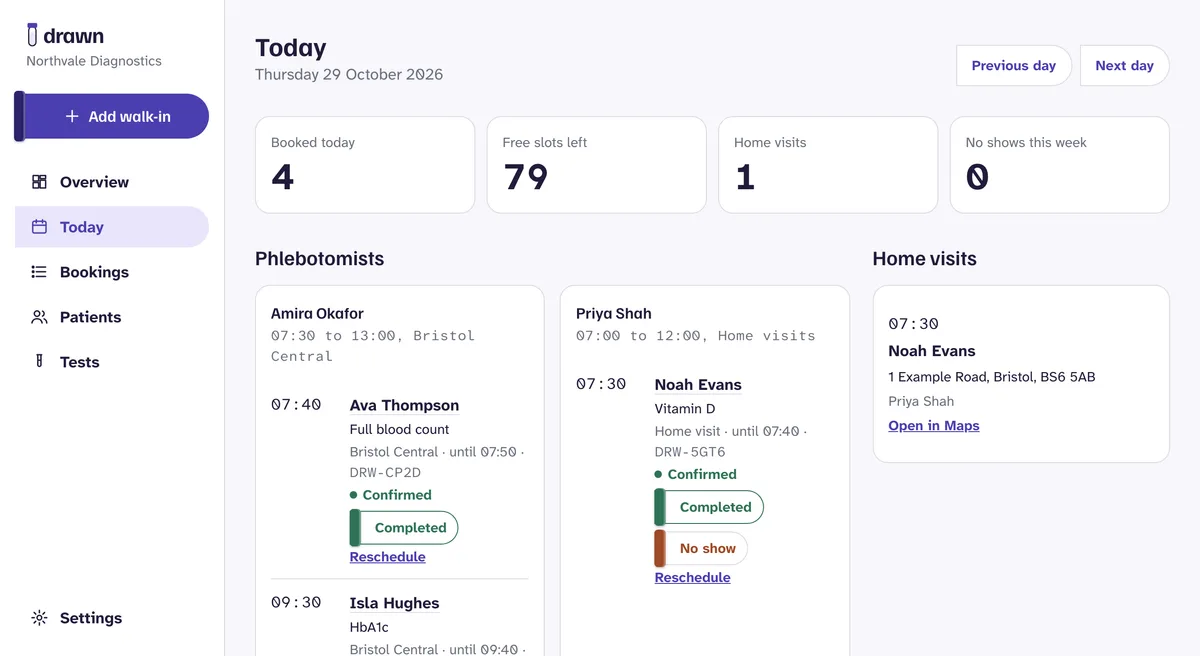
Each phlebotomist gets a day plan by location. Add walk-ins, mark visits completed or no show, and reschedule in one place.
The patient's side
Five screens, one booking.
Most patients book on their phone, so every step is one decision on one screen. The demo clinic books in its own teal: Drawn takes on each clinic's colours.
 (opens full size in a new tab)
01
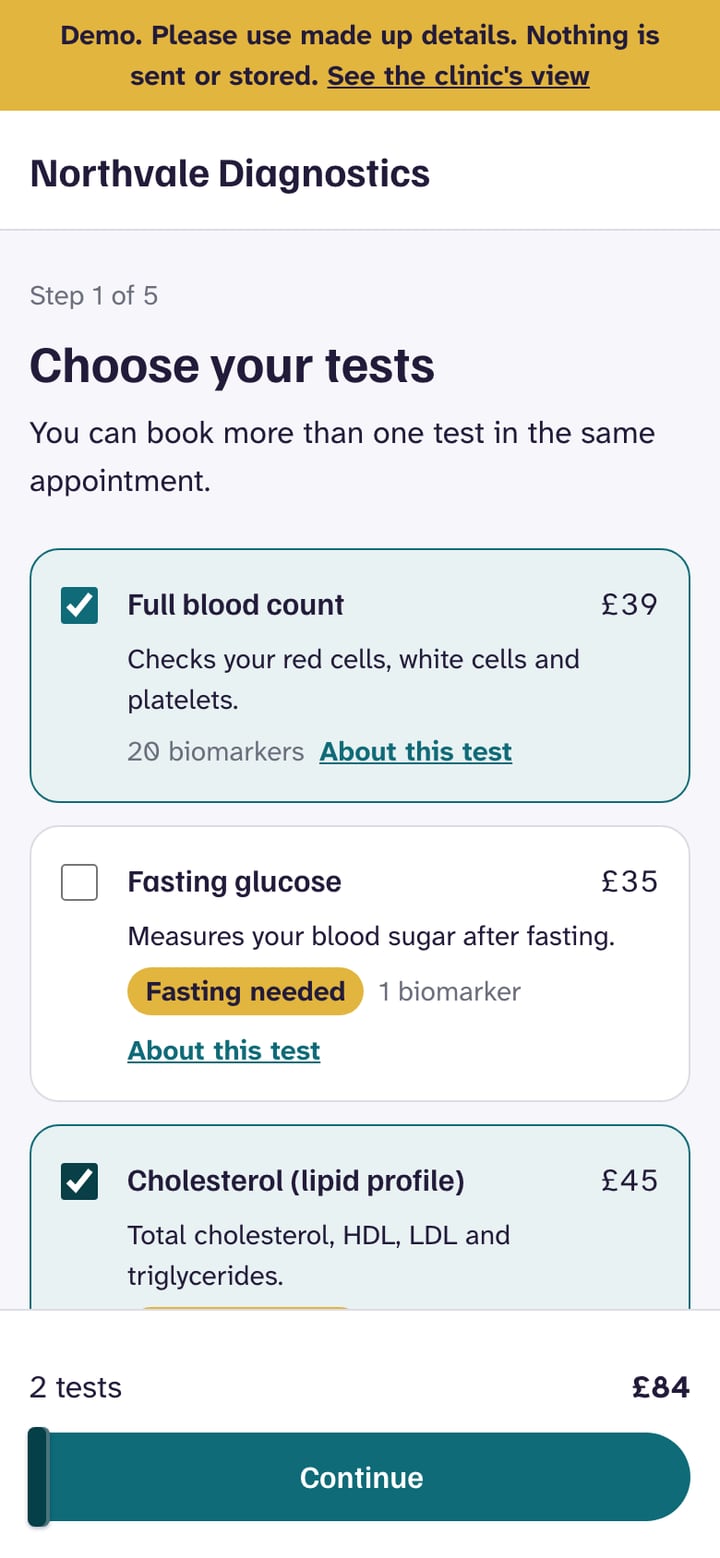
Choose tests
Prices, biomarker counts, and a Fasting needed tag. Several tests can share one appointment.
 (opens full size in a new tab)
02
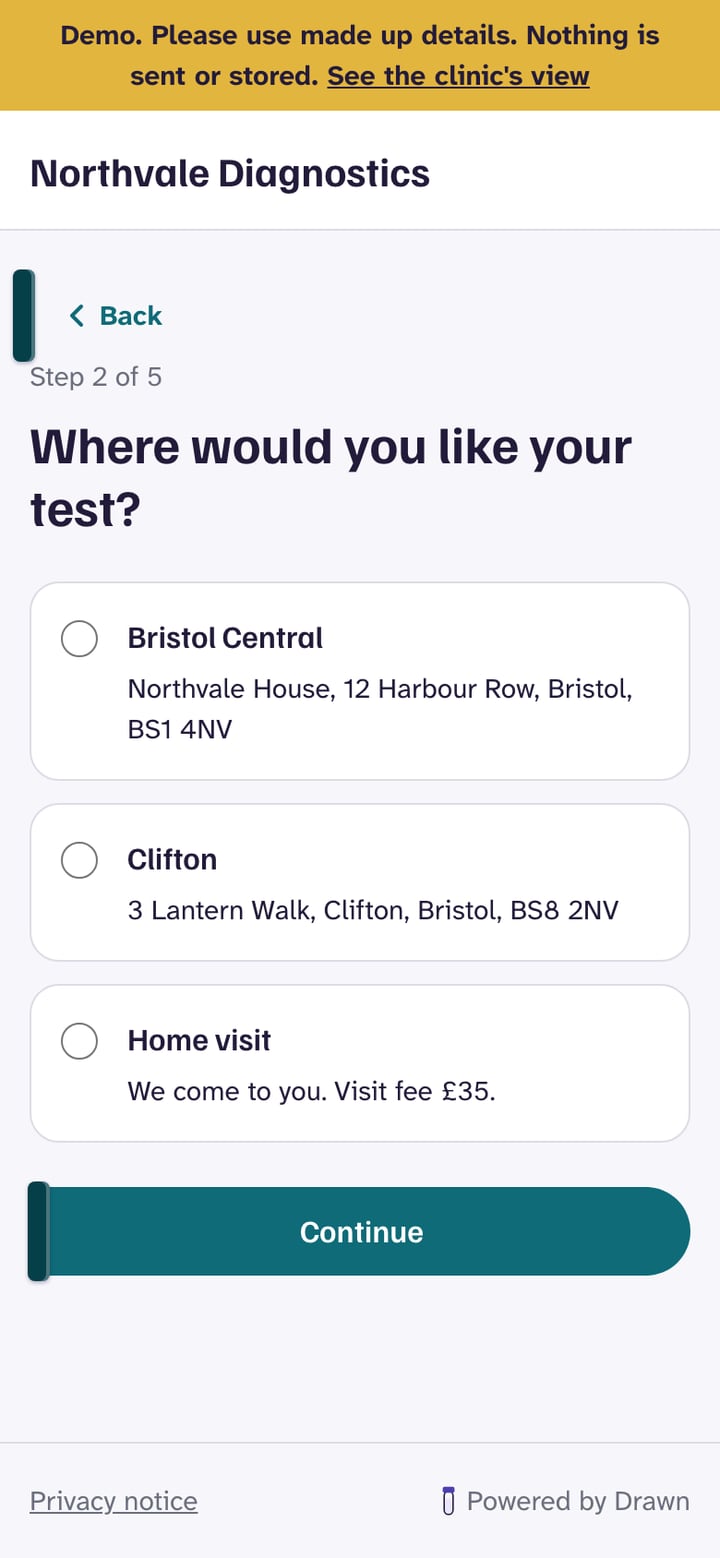
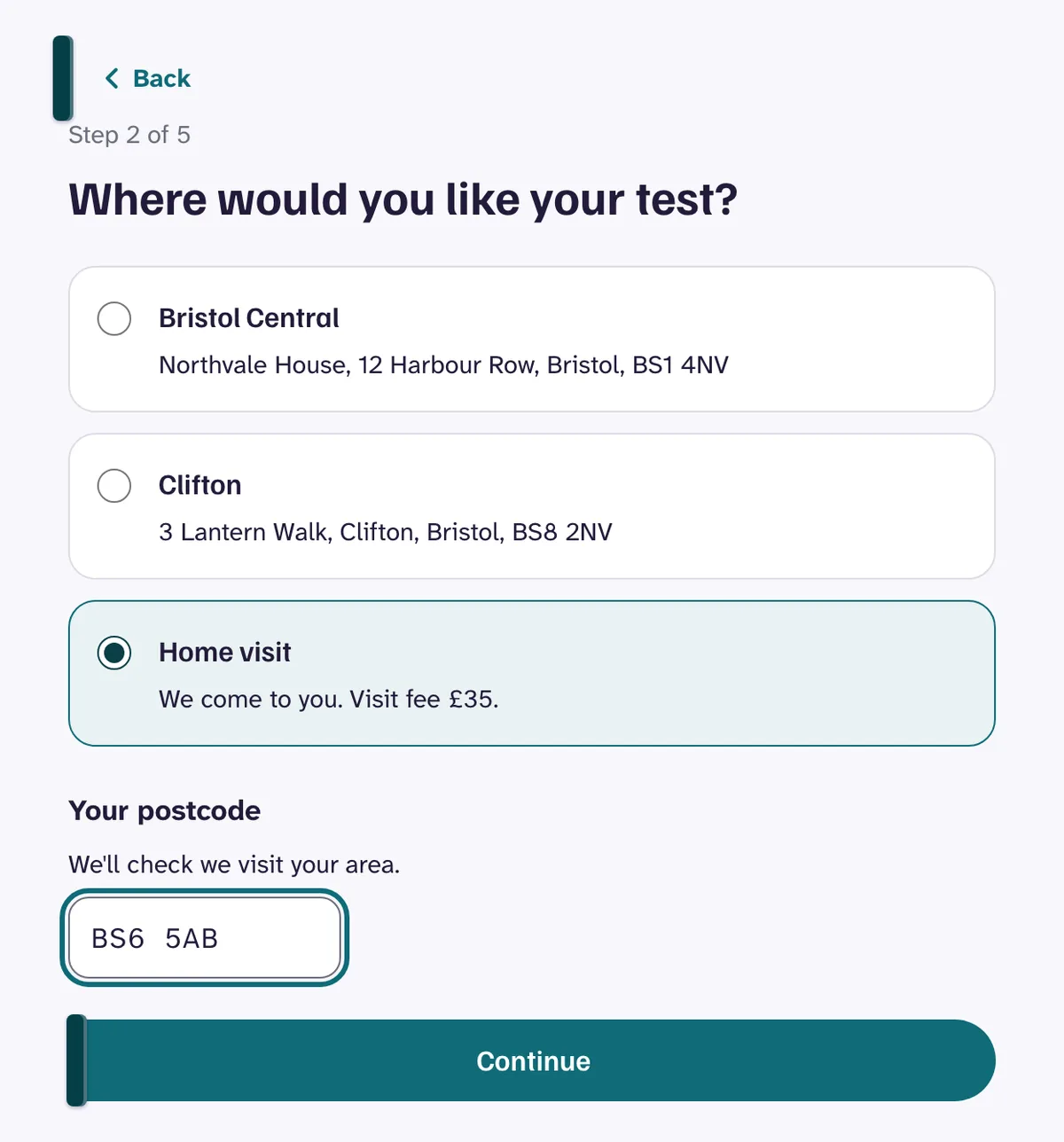
Where
A clinic location, or a home visit checked against the postcodes the clinic covers.
 (opens full size in a new tab)
03
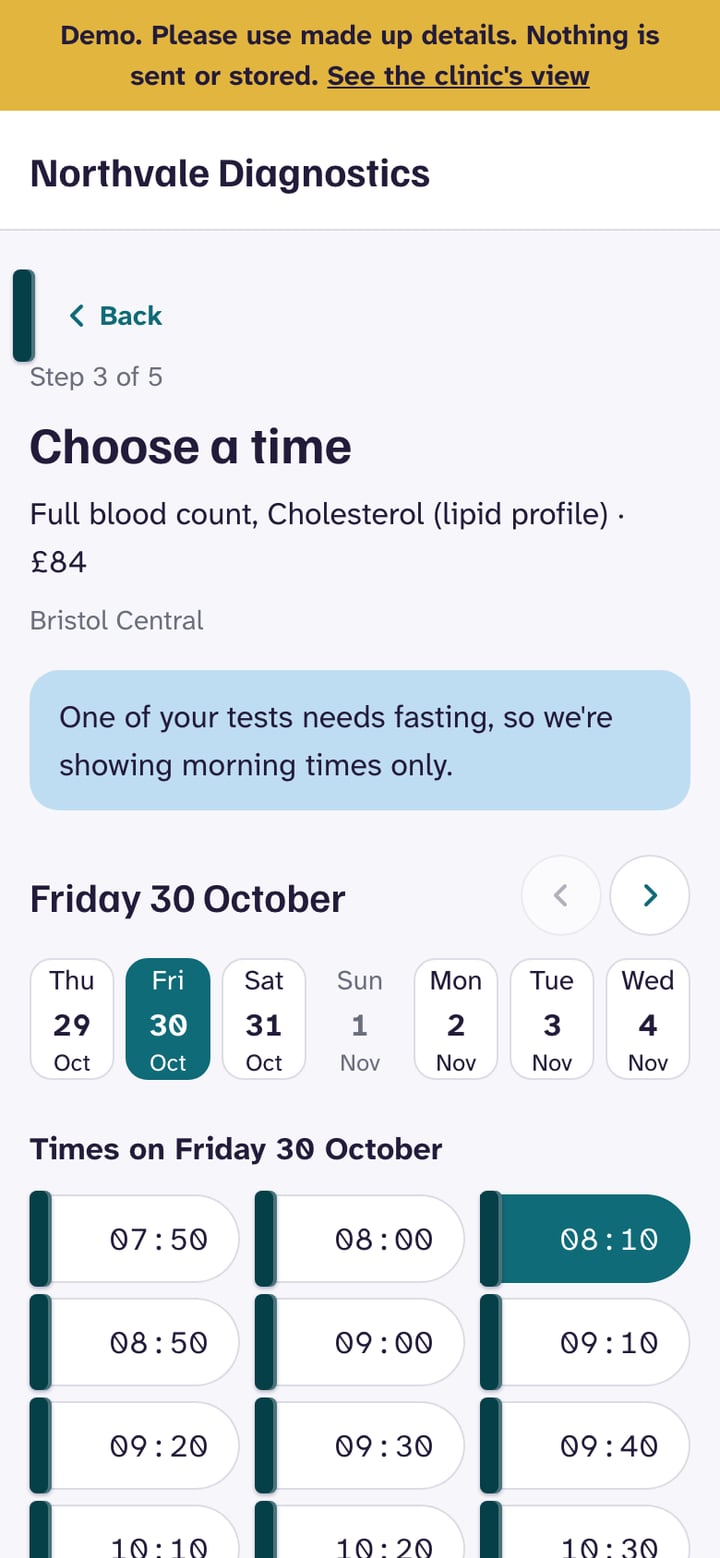
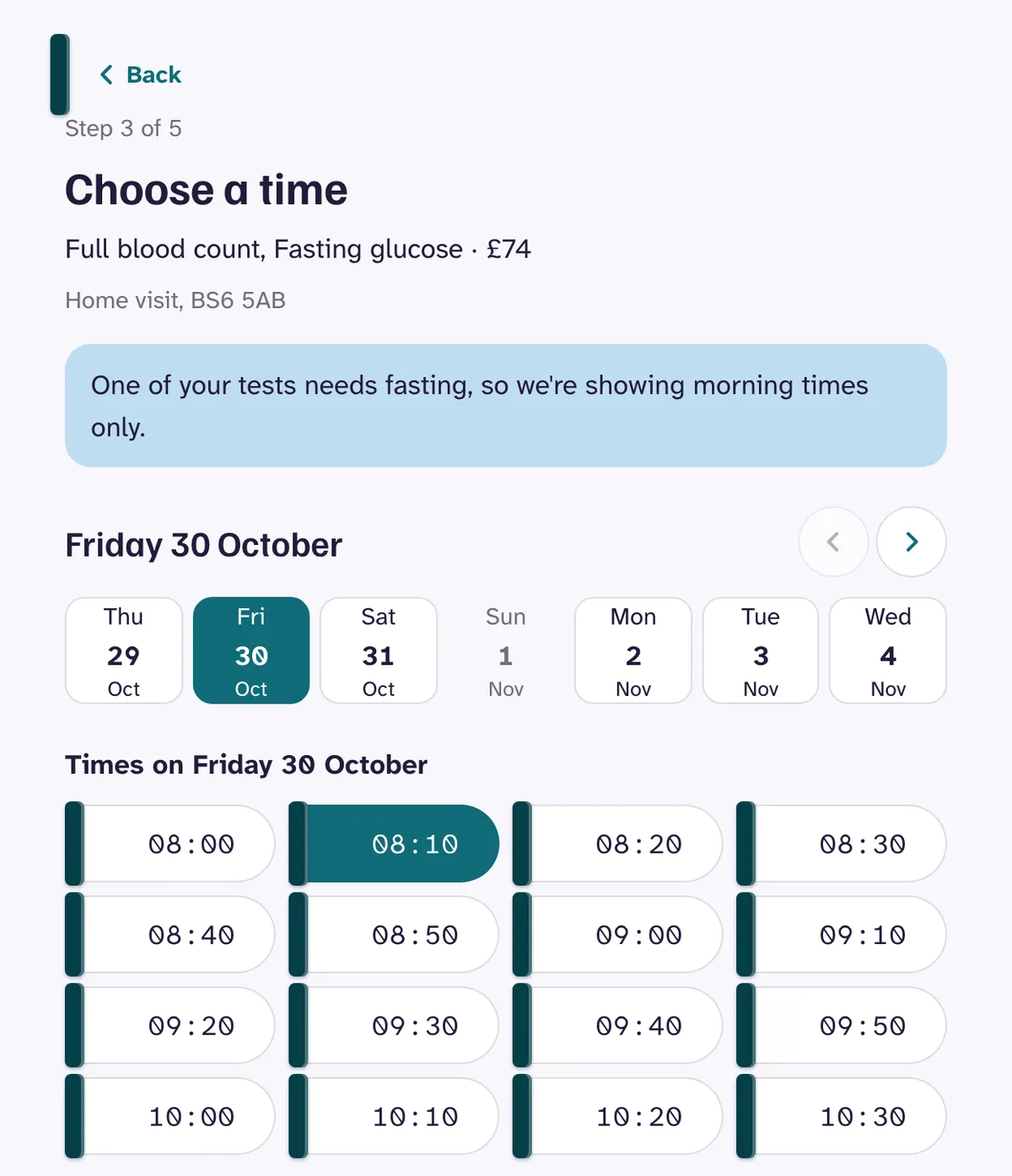
When
A date strip and the free times. A fasting test explains why only mornings appear.
 (opens full size in a new tab)
04
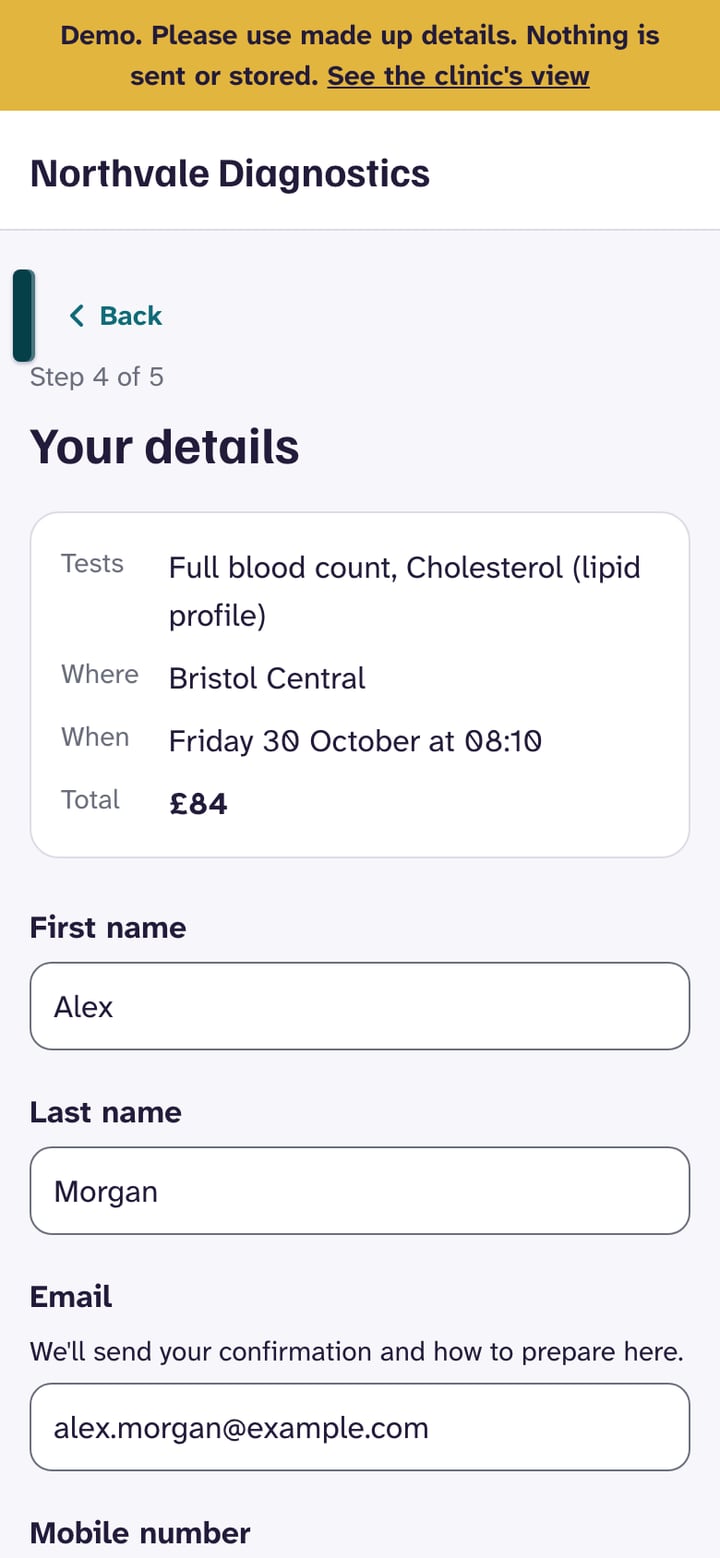
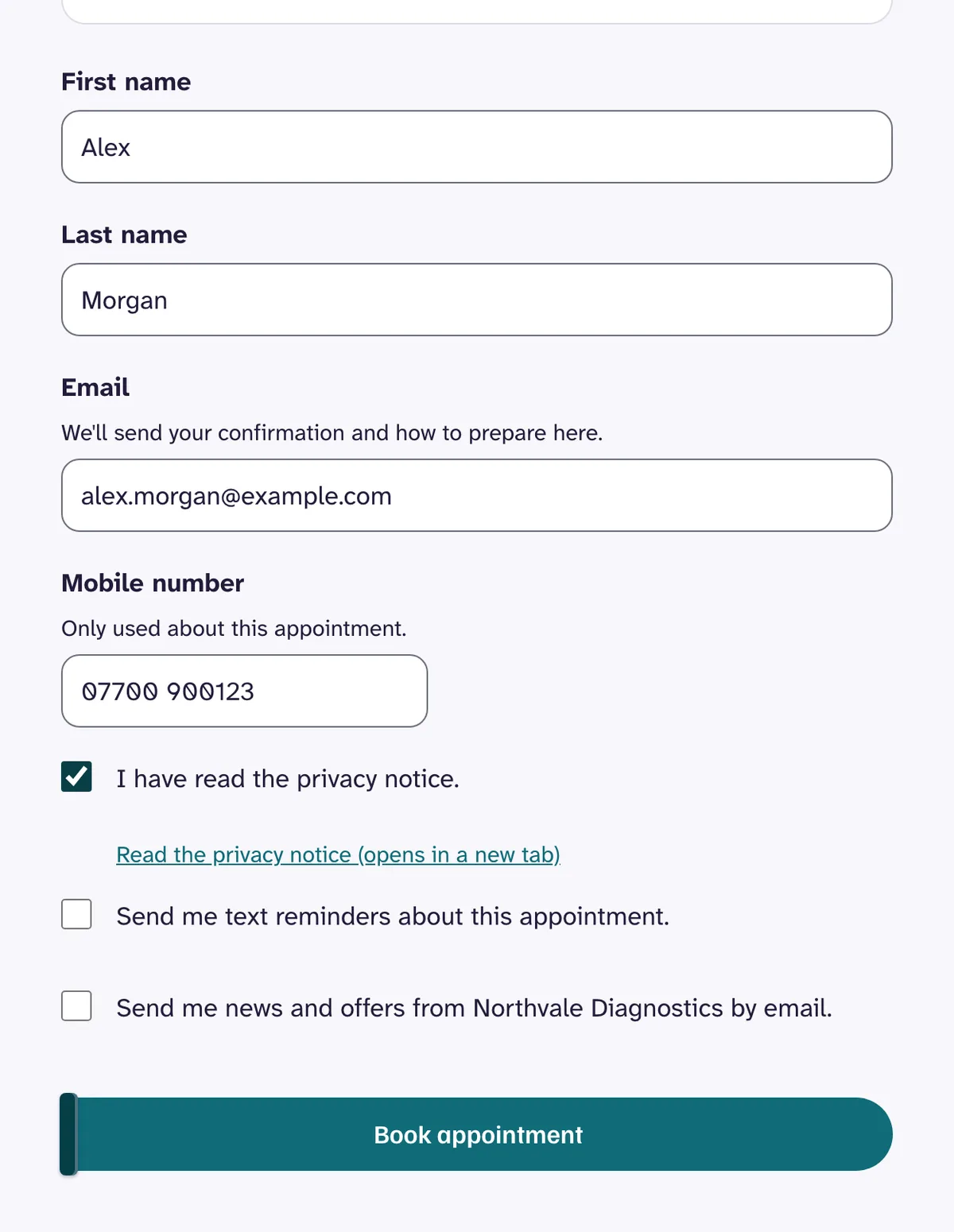
Your details
Name, email, and mobile. No health questions, and every optional box starts unticked.
 (opens full size in a new tab)
05
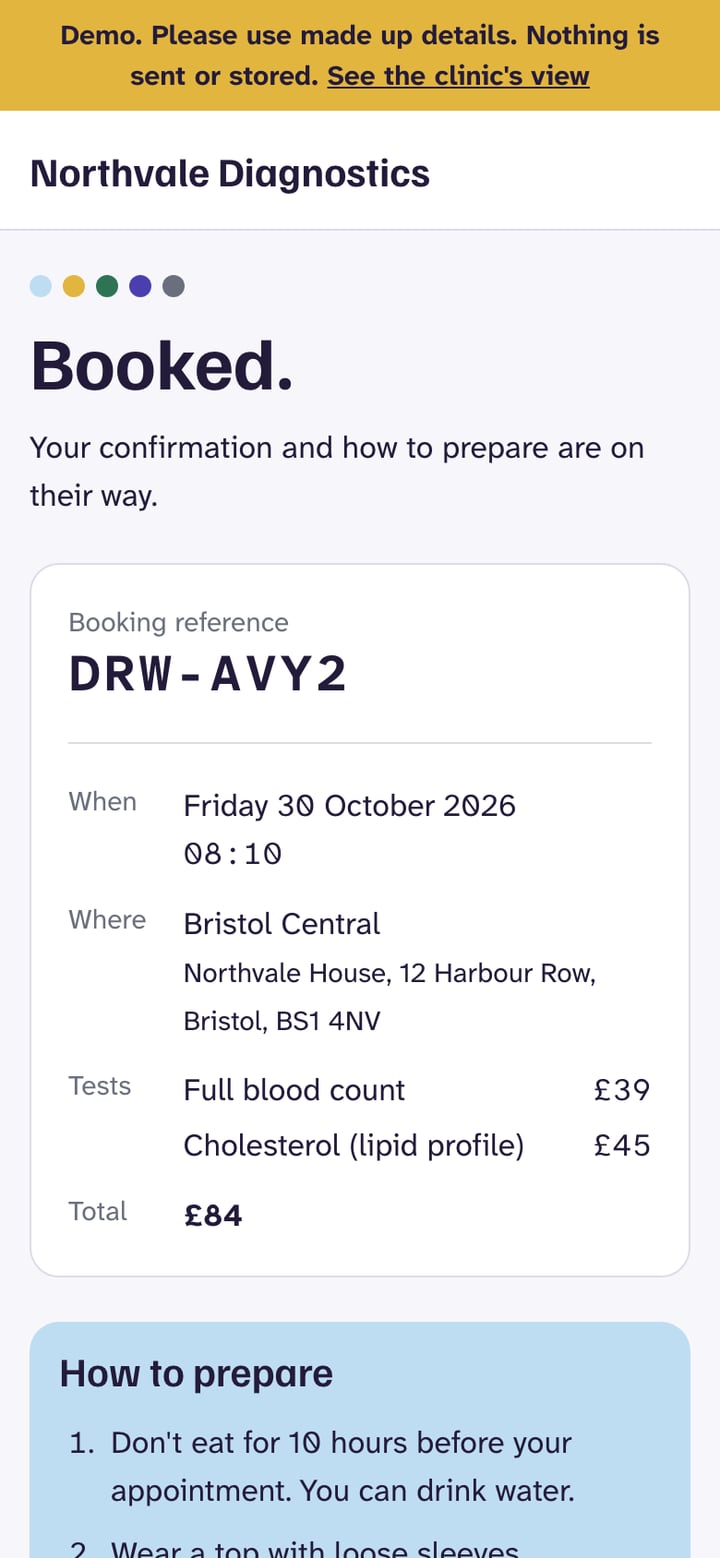
Booked
A reference, the time and place, the total, and how to prepare for every test booked.
Under the hood
Only times that work.
Stage 1
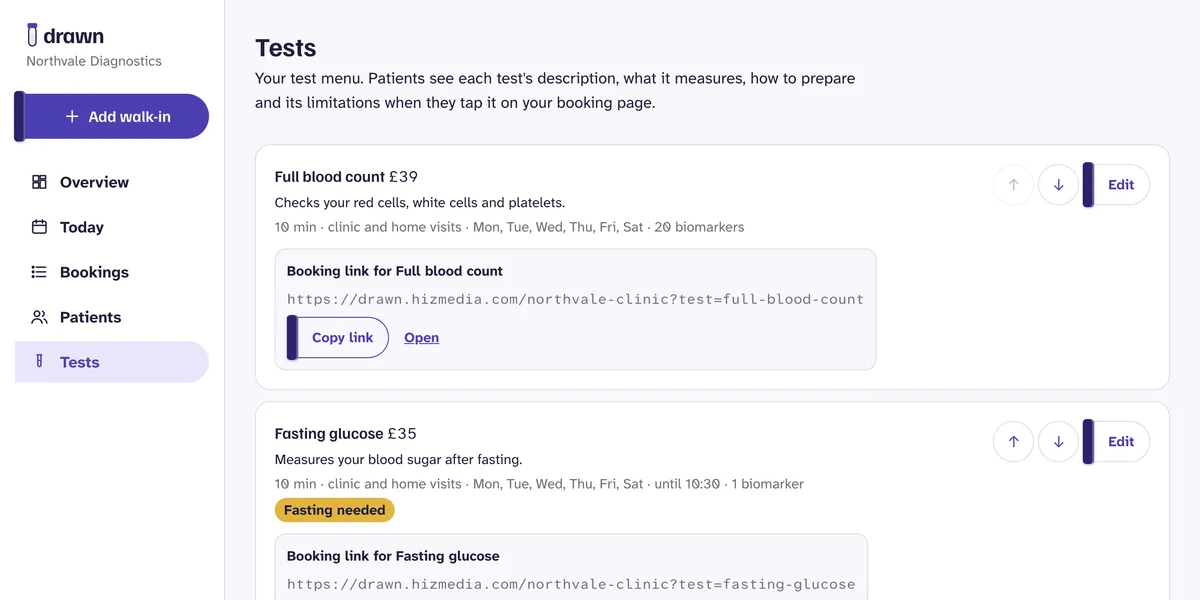
Building the test menu
Each clinic writes its own tests: price, duration, fasting hours, the latest start time, the weekdays it runs, and whether it can be done at home. Every test gets its own booking link that skips straight to it.
Stage 2
Finding the free times
The availability engine starts from each phlebotomist's hours, takes away time off and existing bookings, and steps through the day. Several tests take the strictest rules between them: the longest fast, the earliest latest start, only the days every test allows. A time is shown only if it passes every rule.
Stage 3
Home visits by postcode
The postcode is matched to the districts the clinic covers, with no outside lookup service. Only staff who do home visits are considered, and each visit blocks its travel time either side. Out of area patients are told before they reach the times and offered a clinic instead.
Stage 4
Running the day
Staff see the day by phlebotomist and location, with home visits listed beside it. A Postgres exclusion constraint means one phlebotomist can never hold two overlapping appointments, however two bookings race. Times are stored in UTC and worked out with Temporal, so the clocks changing never moves anyone.
Stage 5
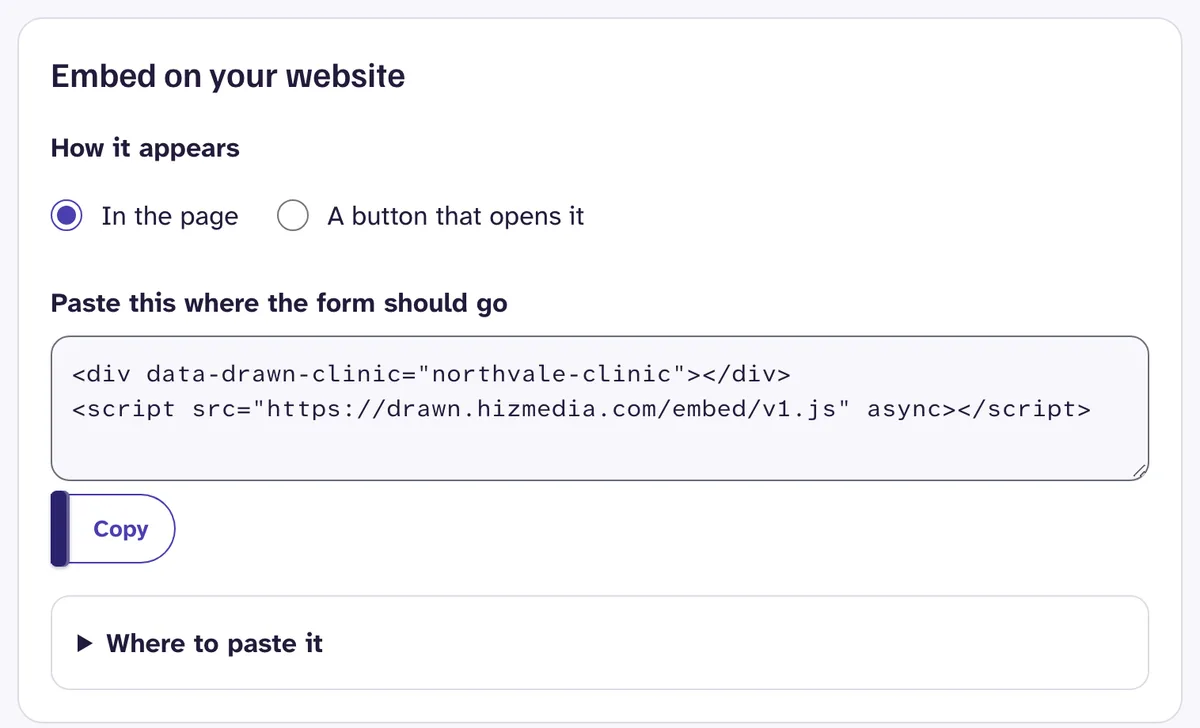
On the clinic's website
One script tag adds the booking form to any page, or a button that opens it. The form only talks to websites on the clinic's allowed list, and browsers refuse to show it anywhere else. It takes the clinic's colour, darkened automatically until it passes contrast.
Stage 6
Patient data and UK GDPR
Drawn is UK GDPR compliant, with patient data hosted in the UK and EU. A booked test can reveal someone's health, so every booking gets health data protections. Row Level Security keeps each clinic's patients apart, the form asks no health questions, and texts and links never name the test. Marketing and text reminders are separate opt ins that start unticked, and clinics can export, correct, restrict, or erase a patient's record.
Stage 7
The demo
Every visitor gets their own Northvale Diagnostics. Each server builds the clinic in an in-memory Postgres, replays that visitor's changes, does the work, and rolls back. Changes live in sealed, encrypted cookies in the visitor's browser, so nothing is stored and nobody sees anyone else's bookings.
Then and now
From phone tag to booked.
Private clinics make do with a generic tool that does not understand blood tests, or a phone line and a spreadsheet. Drawn is built around how clinics actually work.
Then
Generic booking
Now
Drawn
Booking
ThenPhone calls and a generic booking formNowOnline, showing only times that workFasting tests
ThenBooked for 3pm, then moved by phoneNowMorning times only, with the reason on screenHome visits
ThenPostcodes and travel checked by handNowMatched by postcode, travel time built inPreparation
ThenSent later, if someone remembersNowShown before booking and in the confirmationPatient data
ThenSpreadsheets and inboxesNowUK GDPR compliant, hosted in the UK and EUDouble bookings
ThenFound on the dayNow0
Built with
 Next.js 16
 React 19
 TypeScript
 Tailwind CSS 4
 PostgreSQL
 Neon
Neon- PGlPGlite
- BABetter Auth
 Stripe Connect
- TemTemporal
- TipTiptap
 Amazon S3
 Resend
 Vercel
Free demo · No sign-in · Nothing saved
Book a test at a made up clinic.
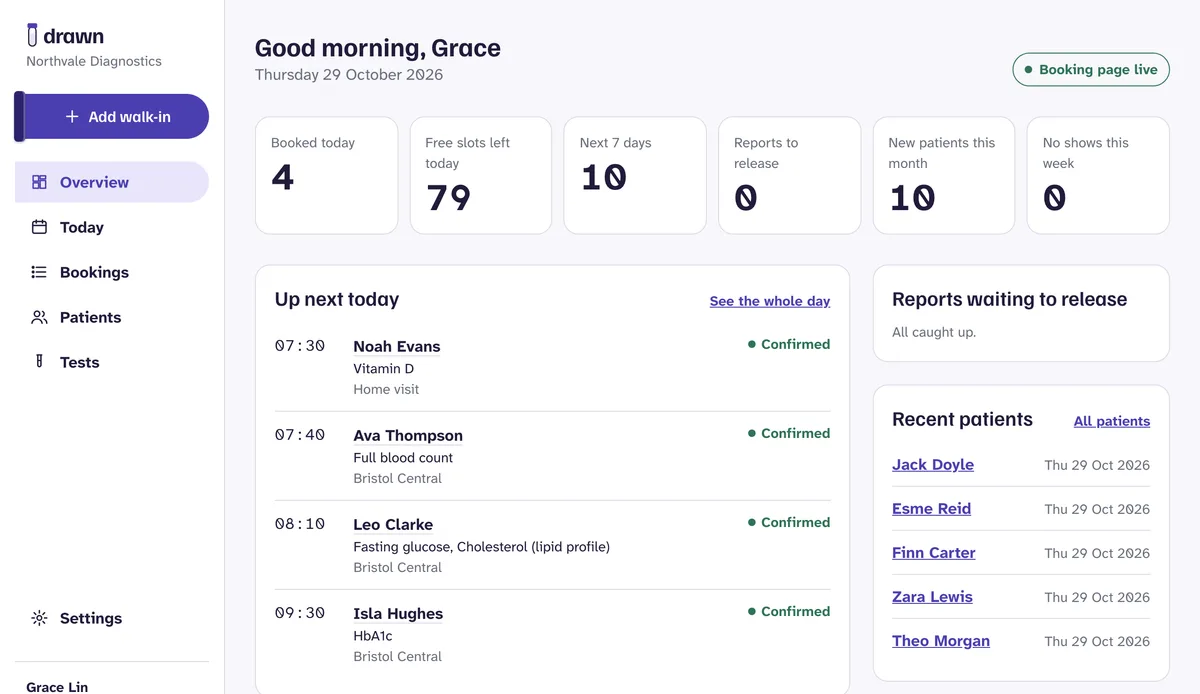
Book as a patient at Northvale Diagnostics, then step into the clinic's dashboard and watch it land on the day plan.
Further reading
The thinking behind it.
Why patients turn up for fasting blood tests unprepared
A fasting test is only as good as the fast before it. Most patients who arrive after breakfast were never set up to succeed. Here is how to fix that at the booking stage.
Read the guideGrowth · 5 min readHow to cut no-shows at a private blood testing clinic
An empty slot still costs you a phlebotomist's time. Most no-shows are not careless patients, they are gaps in how booking works. Here is how to close them.
Read the guideGuides · 6 min readWhat your blood test booking form should not ask
The test someone books can say a lot about their health. That makes a simple booking form a UK GDPR question. Here is what to collect, what to leave out, and what to watch.
Read the guideNeed a tool like this?
If your team is still doing by hand what software should handle, tell us about it. We build tools shaped to exactly how you work.
Drawn is in development and launching soon. Northvale Diagnostics and every patient in the demo are made up.