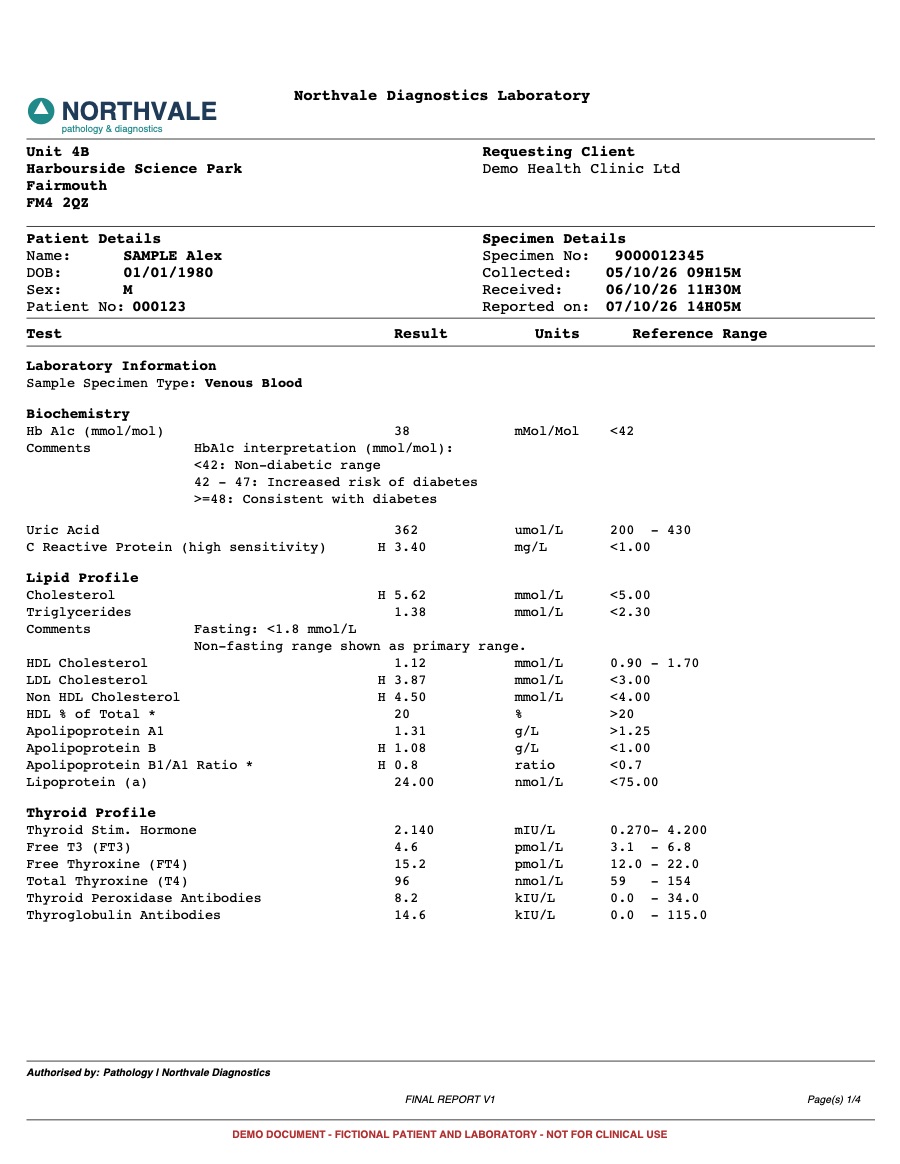
Most lab reports are built for the people who ordered the tests. Rows of abbreviations, units, reference ranges, and a stray H or L in the margin. To a clinician that is a quick scan. To a patient it is a wall of numbers with no story, and the questions start the moment they open it.
of working-age adults in England cannot understand and use typical health information once it includes numbers. Even with words alone, the figure is 43%. A raw lab report is almost all numbers.
Source: Rowlands et al., British Journal of General Practice, 2015Why raw lab reports confuse people
Labs list results in the order their machines produce them, not in the order a person thinks about their body. Liver markers sit next to vitamins, cholesterol is split across pages, and the same test can appear under three different names depending on the lab. Nothing says what a result means, only whether it sits inside a range.
- Abbreviations like ALT, TSH, and HbA1c with no explanation
- Reference ranges that look like maths, such as <5.00 or 0.90 - 1.70
- Flags that are easy to miss, often a single letter
- No sense of which results matter and which are routine
What a patient friendly report does differently
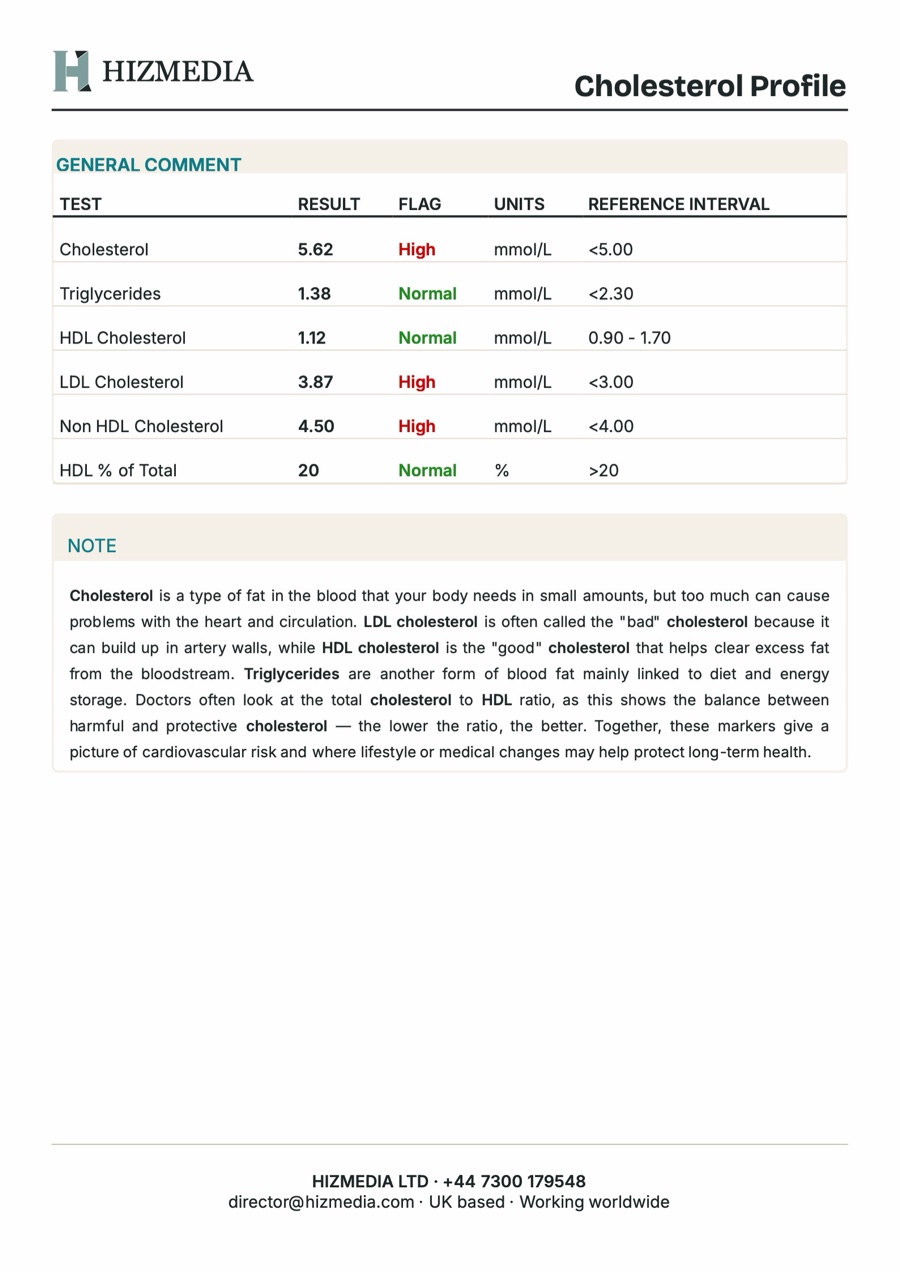
A good patient report keeps every number, but adds structure and meaning around it. Results are grouped by what they measure, each group gets a short plain English note, and anything outside the expected range is easy to spot at a glance.
- Group results into clear categories, like Cholesterol Profile or Thyroid Function
- Colour the flags, so High, Low, and Normal read instantly
- Add a short note per category: what the markers do and why they matter
- Lead with a personal summary of the results that need attention
- Include a clear safety notice: the report supports a conversation, it does not replace one
Keep the clinician in charge
Explaining results is a clinical job, and it should stay one. The structure and the standard explanations can be automated, but the clinician should always review every value, adjust the notes, and write the personal summary in their own words. Automation removes the retyping, not the judgement.
See it on a real report
We built the Lab Report Builder to do exactly this. Upload a lab PDF and it sorts every result into a clinical category with a plain English note, colours the flags, and lays out a branded A4 report for the clinician to review, edit, and download. It is free to try with a fictional sample report, and nothing is uploaded.
Want this built for you?
Tell us what you are trying to grow. We will tell you plainly what we would build and what it should bring back.
Related service: Custom CMS