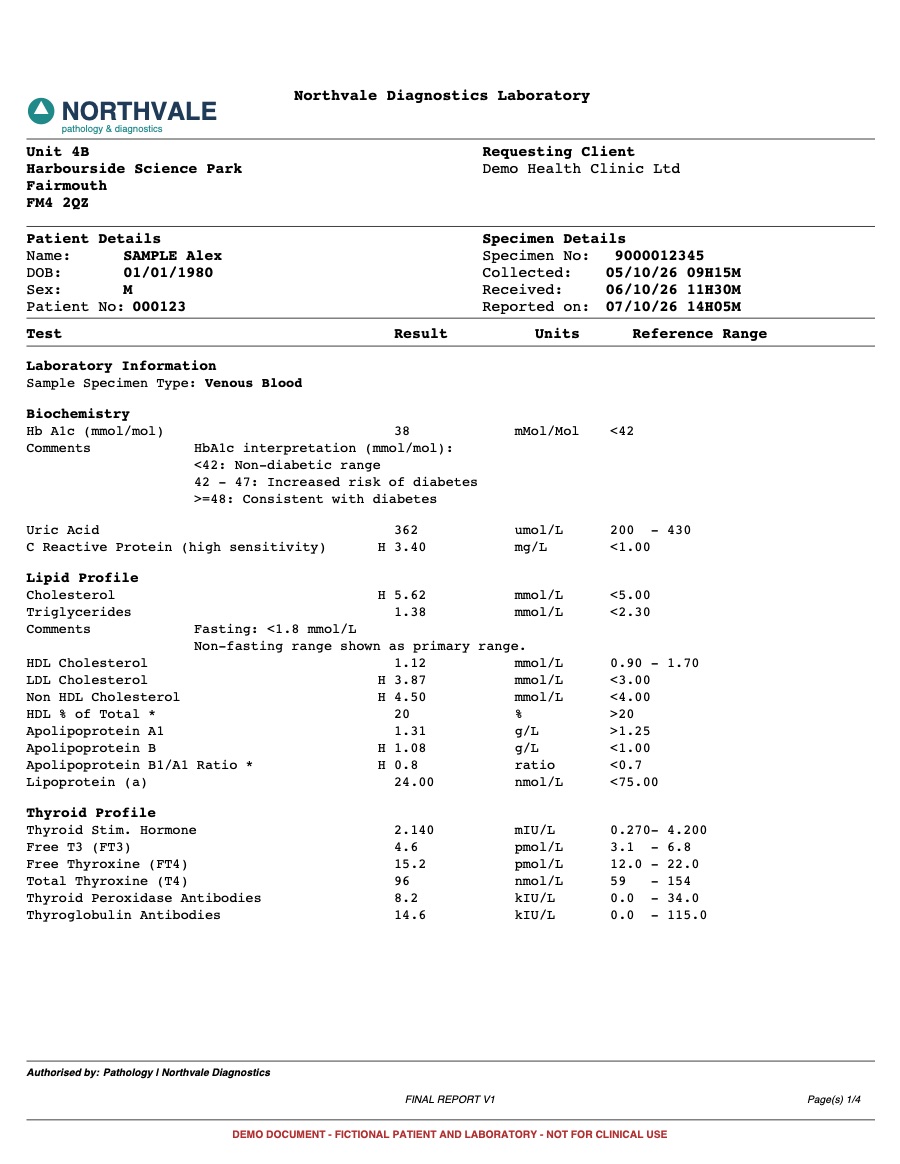
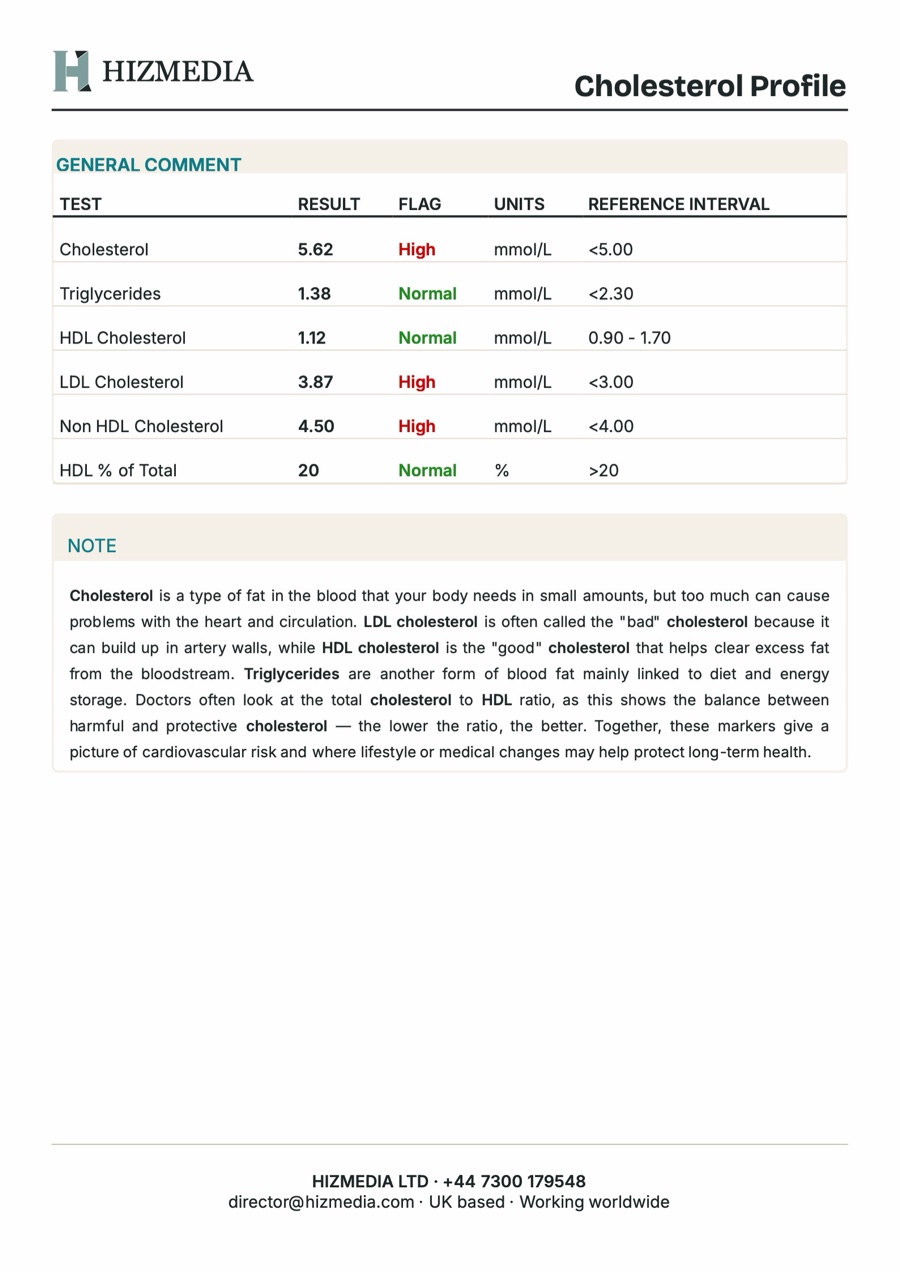
Here is a routine that plays out in clinics every day. The lab sends a PDF. Someone opens the clinic's report template, then copies each result across, one row at a time, adds the units and ranges, writes a note for each section, and formats it all before it goes to the patient. It works. It is also one of the most expensive ways to move data from one document to another.
of a doctor's office day went on computer and desk work, against 27% face to face with patients. That is nearly two hours of desk work for every hour of patient care.
Source: Sinsky et al., Annals of Internal Medicine, 2016The manual way
Rewriting by hand gives the clinic total control over the final report, and that is why it persists. But every result is typed twice, every report starts from a blank template, and the same explanations get written again and again for different patients. A full blood panel can run to 60 or more results, so one report can take a large part of an afternoon.
- Every value retyped, so every value is a chance for a typo
- The same category notes rewritten for every patient
- Layout and page breaks fixed by hand in a word processor
- Time that comes straight out of clinical work
The automated way
Automation does the copying, not the thinking. Software reads the results from the lab PDF, matches each test to its category, even when labs name it differently, adds a standard note, and lays the report out page by page. The clinician then reviews every value and flag, edits the notes, and writes the personal summary. Same control, without the retyping.
- Results read straight from the PDF, so nothing is retyped
- Tests matched to categories, even when labs use different names
- Standard notes added automatically, ready to edit
- A finished A4 PDF in seconds, laid out exactly as it prints
What to check before you automate
Not every lab PDF can be read reliably. Scanned reports are images, not text, and need a different approach. Ask how the tool handles your labs' formats, whether it shows you every extracted value before anything is final, and where the patient data goes while it works. If the answers are vague, keep looking.
Try it on a sample
Our Lab Report Builder automates this exact workflow. On our fictional sample panel it extracts all 65 results with none misread, sorts them into 12 categories, and produces a 17 page report in about three seconds. Try the free demo, then tell us about your labs if you want it built around your own reports.
Want this built for you?
Tell us what you are trying to grow. We will tell you plainly what we would build and what it should bring back.
Related service: Custom CMS